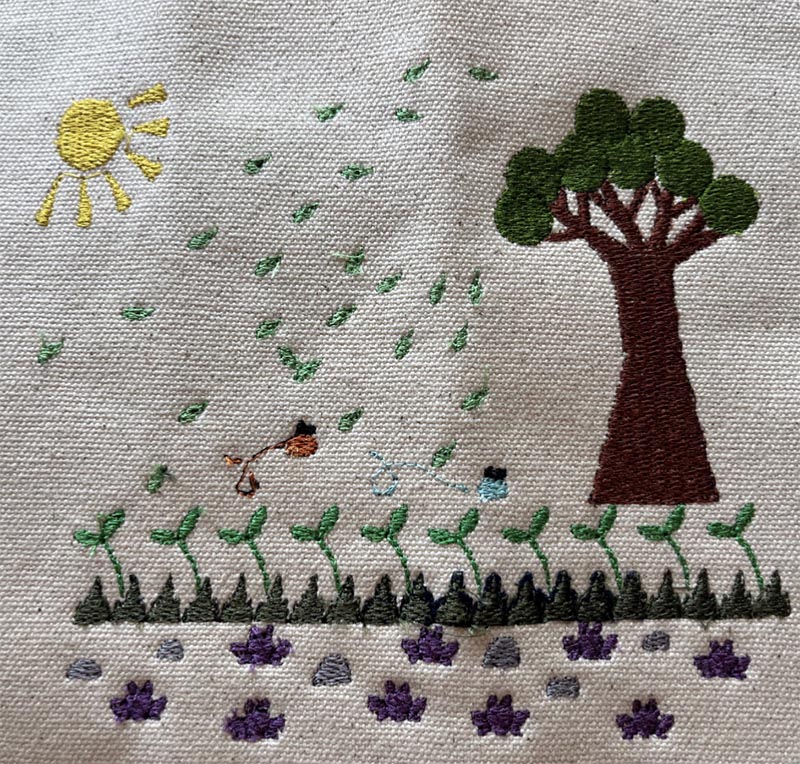
For her final project for Data Visualization with Textiles 2025, Annie Nguyen created a Machine Embroidery of happy moments in the last year using the properties of color and quantity.
For my final project, I wanted to capture the many happy moments I experienced in the past year. It was inspired by my own reflections during the past two years as a masters student just after graduating from Stanford as an undergrad. I felt quite exhausted from my undergraduate experience, and I wanted to be more intentional with my time in my remaining two years in the bay. I’m glad to say that I felt more personally rewarded by the past two years carving out time to explore the area, try new things, and spend fun time with friends!
To try to capture some part of that, I decided to focus my data on things that were memorable in my past year: trying new food locations, game nights with friends, concerts/performances, new games played, new places explored, and more.
- Game nights: 9
- New food locations: 27
- Concerts/Performances: 12
- Coffee chats/catch-ups/socials: 8
- New games played: 15 (9 digital, 6 analog)
- New recipes: 6
- Dances: 6
- New places gone to: 20
- Neighborhood walks: 10
To find the data, it was a process of going through my Google Calendar and photos over the past year. Both are good sources of information for me as I frequently schedule events on my calendar, and the photos on my phone help corroborate those events or reveal smaller moments that I may have not put on my calendar. This turned out to be a more detailed process than I had originally anticipated; calendar notifications and photos can only capture so much! As I was reflecting on and corroborating moments from the past, there would be little details that I or my partner would recall, such as an afternoon walk after a day out. The process became a shared one with my partner as they helped me fill in smaller details that I alone might have missed. Admittedly, there still might be moments that I missed completely!
Overall, the data collection process made me realize how recalling memories can be hazy, even with markers to help recollection. Memories as data can be a bit unreliable, but there is some beauty in the process of remembering all these moments with people I care about.
When moving that data into embroidery, I wanted to create something that I could decorate my walls with. I wanted to design something that felt happy to me, even moreso since I know what it represents. Drawing from my love of nature, I decided to try drawing a simple nature scene, something with leaves, plants, and rocks. Below is the final sketch of what I came up with:
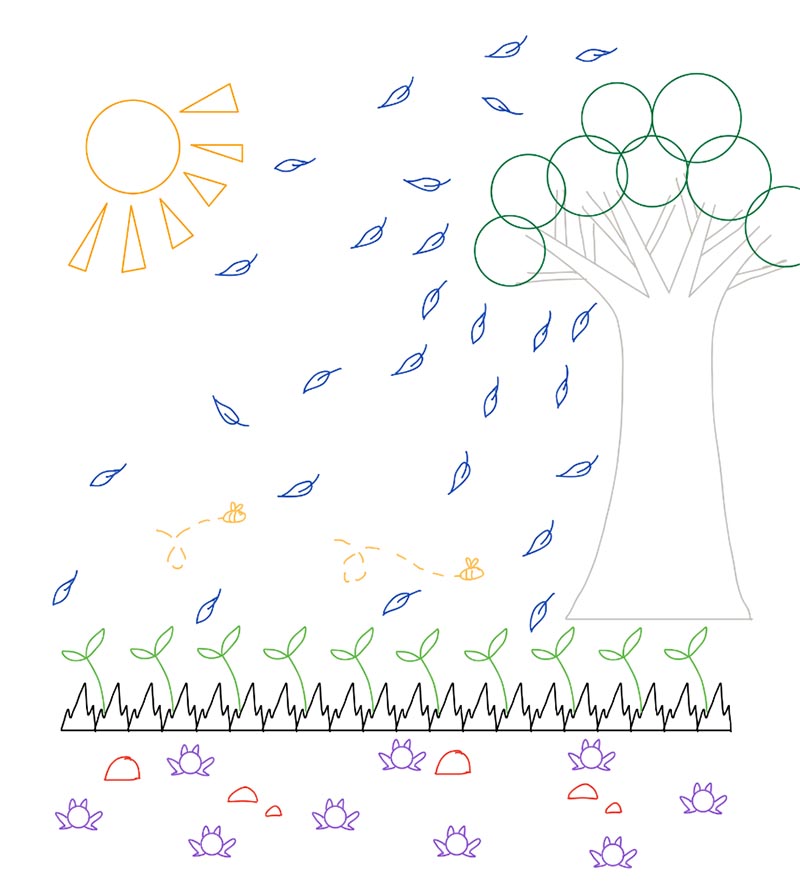
I made this sketch on my iPad using Notability. I made sure to have clean lines that would be easy to trace when bringing the image over to Inksketch.
I wanted to create an image that felt cohesive with the data I wanted to feature. I started with the grass and plants to set the stage, and added elements that felt suitable for the setting (tree branches, leaves, small rocks, etc). The choices were nods to how I felt about each thing I wanted to represent. For example, game nights are memorably fun, and I think frogs are fun and silly! Big dance socials are a whirlwind where I feel active and in-the-moment, and I think sun rays capture that feeling. New places that I’ve been to feel like a page in the book of my life’s travels, and so it felt fitting for them to be leaves flying away in the wind.
After transferring my image to Inkscape, I need to trace it using the tools in Inkscape to translate it to Ink/Stitch. I used the node tool to create basic shapes from my sketch, and fine tuned each element (i.e. a singular frog, leaf, rock, etc) before copying it the appropriate number of times for the data it represents. Below is the final image that I exported to the embroidery machine:
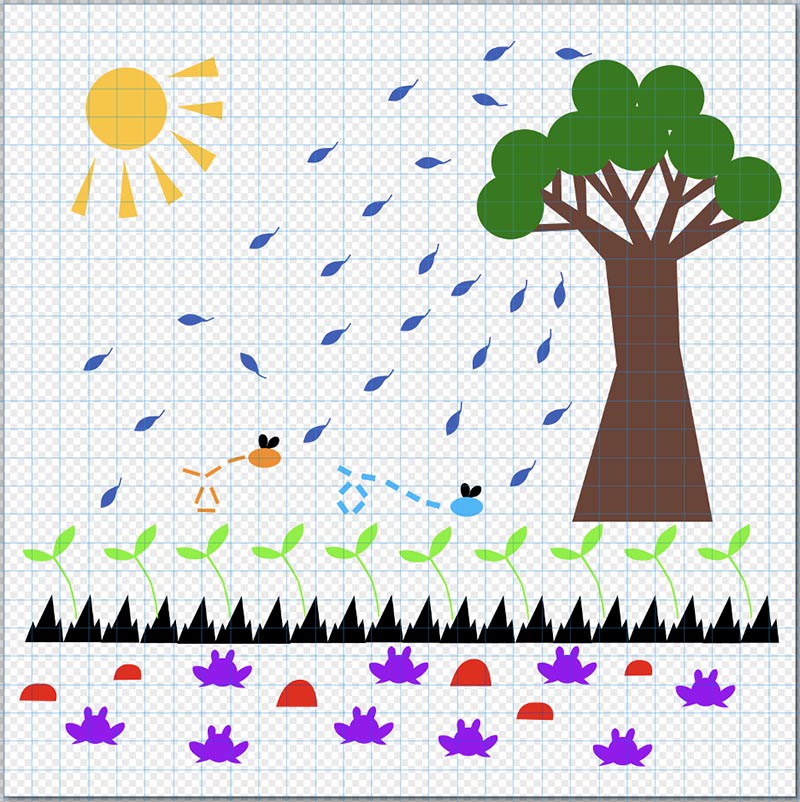
In fine tuning my image, I learned a number of things:
- Any whitespace in the image will affect how it is spaced on the embroidery machine; make sure to cut out any unnecessary white space!
- Think about how the size of elements compare to each other; if your smallest element is fairly small in comparison to your largest element, the resolution of the smaller element may not be what you want. Try to have small elements as big as they can be!
- Minimize the number of colors that you use in your design if you want to streamline the process of switching out different colored threads.
- Organize and group your elements intentionally on Inkscape; the machine interprets the order by which to change thread color via the hierarchy that you set in Inkscape. Use folders to easily track what elements you want to be printed and when! This is great to group elements that use the same color of thread.